MyBayar Saman Promotion 50% until 11th April 2021

PDRM launched new saman portal and mobile application to support their digitalisation effort.

For the new launching, PDRM also gives 50% discount on all summons.

MyBayar Saman Portal: https://mybayar.rmp.gov.my/

Register First

It is easy to register and we only provide necessary information.
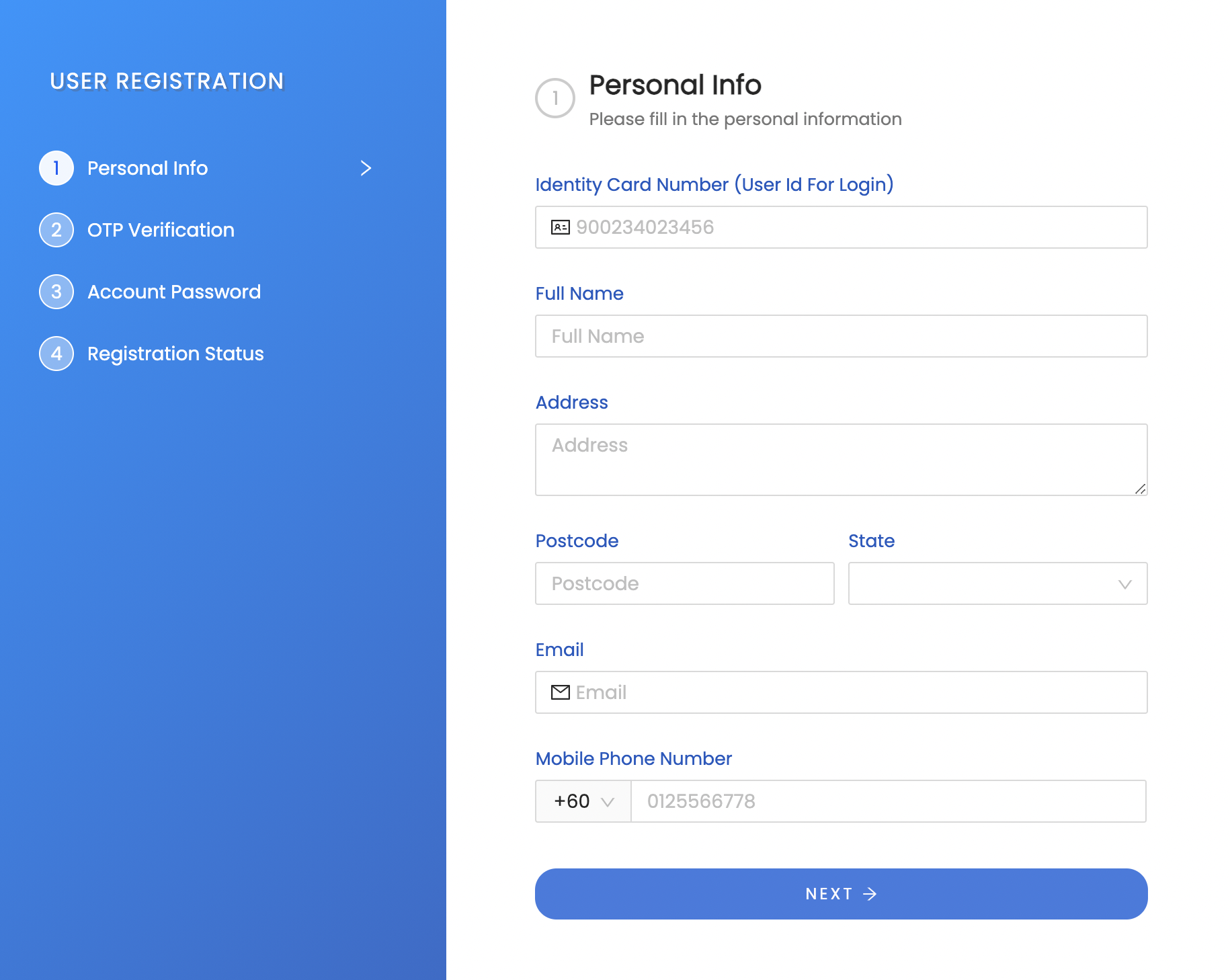
mybayar saman registration

List of Summons

Automatically, the portal will provide list of summons after registration. You can view the summon amount after and before discount.

Besides you can see photo of your vehicle from the speed trap camera.

mybayar saman senarai saman

Pay Summons

PDRM provides lots of option for payment from online banking to credit card.

mybayar saman payment methods


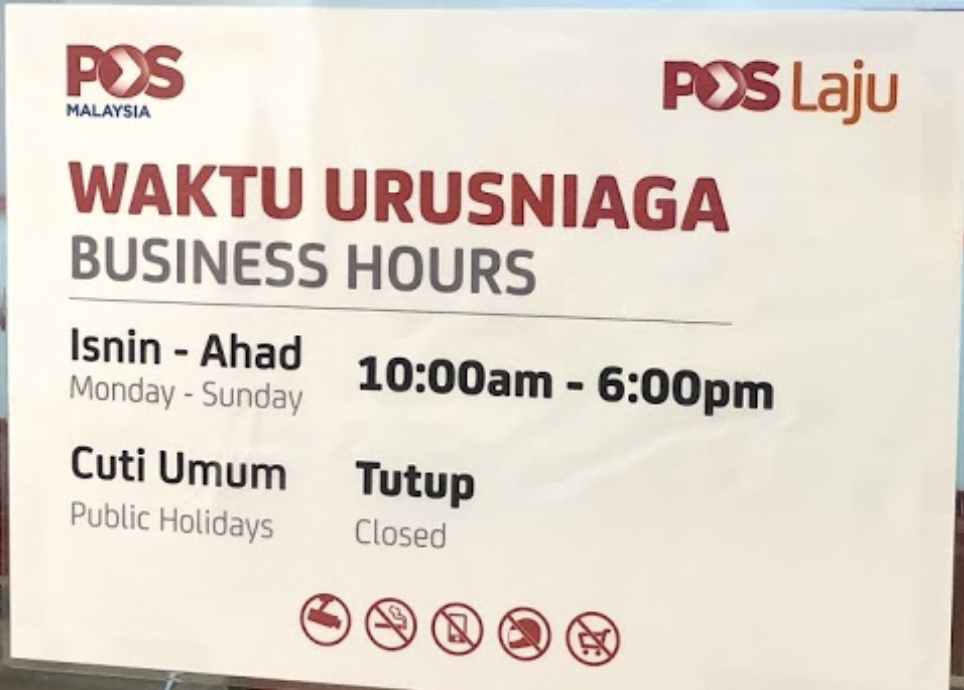
Post Office Tesco Mutiara Damansara Business Hours / Operating Hours

I wanted to renew my driving license but couldn’t find easily business hours for Post Office Tesco Mutiara Damansara during MCO.

So I share its business hours / operating hours for everyone convenience.

Every day : 10AM – 6PM
Public Holiday: closed

I went today (21/03/2021) to renew my driving license but to my despair, driving license can only be renewed after 31st March 2021.

Apple Macbook Pro M1 – Auto Change Brightness

Every time I use my Apple Macbook Pro M1 the brightness is automatically changed. It becomes very dimmed when I use the Macbook while on battery power.

Found the solution in Apple forum and put the steps in screenshots for easy for troubleshooting for other Macbooks users.

1) Go to battery preferences

apple macbook pro M1 - battery preference
apple macbook pro M1 – battery preference

2) If your Slightly dim the display while on battery power is checked, please uncheck it.

apple macbook pro M1 - checked slightly dim the display
apple macbook pro M1 – checked slightly dim the display
apple macbook pro M1 uncheck slightly dim the display

Watching Netflix & Youtube at Genting Permai using Unifi Air

I use Unifi Air as my internet broadband at Genting Permai. Why I use Unifi Air? I chose it because it is affordable and unlimited data. My usage is not that heavy just watching Netflix and Youtube.

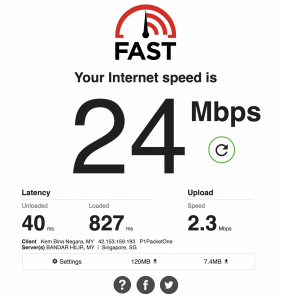
Average Download and Upload Speed

If not so many concurrent users, the speed is reasonable. On average download speed is 20MB/s and average upload speed is 2MB/s.

unifi air download and upload speed at genting permai

No Buffering when Watch Netflix and Youtube

Payment from Nuffnang for My Advertisement Income

I put Nuffnang advertisement on my blog. I requested for pay out for my ads income.

I requested on 25th Nov 2020 and received the check on 16th January 2021. It took nearly 2 months to get the check.

Based on my experience with Nuffnang, its income not as good as before and better use Google AdSense. My blog rarely shows any Nuffnang advertisement maybe due to low traffic. Ha ha

nuffnang letter containing check
nuffnang check from nuffnang
nuffnang check received

Stream Movies from Ubuntu Shared Folder to Samsung Smart TV

Set Up Sharing Folder Service at Ubuntu

Install minidlna service

Configure /etc/minidlna.conf (sets WHICH FOLDERS to use AND who is using the service)

edit /etc/minidlna.conf :

Notes: for vim, press insert to edit the file, then press escape “:x” to save changes.

Configure the path & friendly name

minidlna conf - media path
minidlna conf – media path

minidlna conf - friendly name
minidlna conf – friendly name

Configure user:

minidlna - conf - user root
minidlna – conf – user root

Save the changes

Configure /etc/default/minidlna (sets WHO the service runs as)

Configure user as root

minidlna - conf - user root
minidlna – conf – user root

Save the changes

Restart minidlna service

Access the Folder at Samsung Smart TV

Go to input source, you will see friendly name that has been set.

samsung smart tv - source view ubuntu nas
samsung smart tv – source view ubuntu nas
samsung smart tv - folders inside the ubuntu nas
samsung smart tv – folders inside the ubuntu nas

Video on Accessing the Ubuntu NAS

References:

http://mylinuxtechcorner.blogspot.com/2013/09/smart-tv-streaming-from-ubuntu-nas.html
Running minidlna on Ubuntu

Google Adsense Verify Billing Address

I have Google Adsense account to generate some income for my blogs. After reaching certain amount Google will show notification that needs to verify billing address.

Billing Address Verification Notification

google adsense - notification to verify billing address
google adsense – notification to verify billing address

According to Google, they have sent the verification address letter on 8th January 2021. I received it today which is 10th February 2021. It took nearly 4 weeks ++.

google adsense - verify billing address
google adsense – verify billing address

Billing Address Verification Letter

I was happy when I received the verification letter. I told myself if I don’t receive it by this week. I will ask Google to resend the letter.

google adsense - letter front
google adsense – letter front
google adsense - letter back
google adsense – letter back
google adsense - letter inside code
google adsense – letter inside code

Verify The Billing Address by Entering the Code

Click verify and key in the code inside the letter. Upon success, it will show success status and the verification billing address widget will disappear.

google adsense - click verify
google adsense – click verify
google adsense - fill up and submit
google adsense – fill up and submit

Unifi Mesh Wifi M4 TP Link Set Up

I took the Unifi Mesh Wifi package of RM15 per month for 24 months. It was quite easy to set up just need to install mobile application Deco then follow its step by step instruction.

You can refer this document by TP Link to understand how to set it up.

I only include part not covers by the document which is the button to add new Wifi network. You just need to click on the “+” on right top.

TP Link Mesh Wifi Deco App - add new mesh
TP Link Mesh Wifi Deco App – add new mesh

Then you can follow the step by step instruction.

Below is example of pulsing blue.


Apple Macbook Pro M1 chip Fail to Play My iPhone Games Doorman Story

I bought an Apple Macbook Pro M1 in 2nd week of December, 202o. I was excited because know it can play iPad or iPhone games thanks to M1 chip which is similar like iPhone and iPad ARM chip.

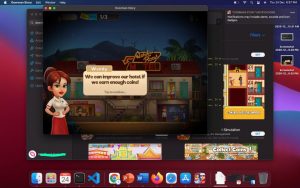
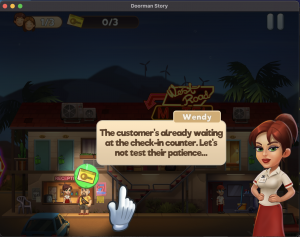
At first after downloading my favorite game Doorman Story, I could play it.

apple macbook pro M1 downloaded iphone game
apple macbook pro M1 - crash while playing iphone game
apple macbook pro M1 – crash while playing iphone game

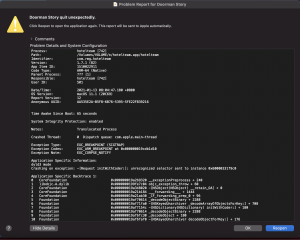
When I wanted to play second time, it produced error as shown in the image. Second time here means, I switched off my Macbook Pro then on it again.

apple macbook pro M1 error in playing iphone games

It is really frustrating as the game won’t load even after few on and off the MacBook. Even after re-installing it doesn’t work.  I haven’t try other iPad or iPhone app though.

Install Signal Messaging Desktop on Ubuntu

Every knows that WhatsApp changes its End Users License Agreement (EULA) . Lots of people are worried about data privacy.

That is why I’m migrating to Signal Messaging. I installed Signal Desktop on Ubuntu but I faced small hiccup which I shared how to solve it.

Download Signal for desktop

Download it here: https://signal.org/en/download/#

and follow the given  instructions.

Can get the signing key from the error messageInstall Signal official public software signing key

signal desktop install ubuntu - signing key
signal desktop install ubuntu – signing key

Add Signal repository to your list of repositories

Update Ubuntu package database and install signal

signal desktop installation ubuntu - error during installation
signal desktop installation ubuntu – error during installation

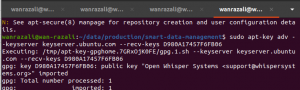
If Installation error like me, add the signing key

Can get the signing key from the error message

signal desktop install on ubuntu getting the signing key

Then run the command

signal desktop installation ubuntu - add key
signal desktop installation ubuntu – add key

Reinstall again after adding the signing key

signal desktop installation ubuntu successful


Reference:

Fix apt-get update “the following signatures couldn’t be verified because the public key is not available”