My kitchen water tap starts to drip even after fully closed it. When I went to hardware shop they told me that a problematic cartridge might cause the water dripping.
Unscrew The Water Tap Handle
Usually the screw is hidden at the handle and it is of hex socket.
Remove the Cartridge by Turning Anti Clockwise
See whether The Cartridge Has Problem or No
Mine as you can see there is a small gap.
Replace it With New Cartridge
You can get the cartridge at RM12.90 and the cap around RM8.
water tap cup and cartridge are sold separately
You also can buy the cup and cartridge at Shopee or Lazada. Ensure you choose the right size.
shopee and lazada selling water tap cup and cartridge
Tighten the new Cartridge and Put back the water Tap Handle
The postponed Maybank 61st AGM was conducted on 6th May 2021. This is my second time join Maybank AGM online.
Maybank was supposed to conduct their 61st AGM on 15th April but due to technical glitch they had to postpone the AGM to 6th May.
The AGM starts at 10AM and ends by 330PM
Maybank Online AGM is conducted via Boardroom.
maybank chairman tan sri zam opening remarks
Key Highlights FY2020 Performance
maybank financial Y2020 performance
Net Operating Income increases 0.6% YOY
Overhead reduces by -2.7% YOY
Pre provision profit is RM13.52B (increase by 2.6%)
Provision for Credit losses increase more than 100% to RM5.07B
Macroeconomic Headwinds
maybank operating landscape
Covid 19 pandemic forced border closures.
Result in weak global and domestic demand
Low interest rate environment
Asset qualities weakness
Dividend Payout
maybank dividend payout Y2020maybank dividend yield vs other banksmaybank capital perservation
52 sen dividend payout for Y2020
Maybank dividend yield is higher than other banks in Malaysia and regional banks.
Highest dividend payout for the past 10 years at 91.2% payout
Capital level is still healthy even after dividend payout
Key Responsibilities
maybank responsibilities
Customers – provide financial relief
Employees – enabled WFH and other safety measures
Investors – reclassification of dividend for faster payout
Regulators – establish framework and guidelines for lending
Communities – Maybank contributed over RM20M to mercy
Moving Forward FY2020 – Digital Solutions
maybank M25 target outcomesmaybank digital journey
M25 – 13% – 15% ROE and more than 100 sen earning per share
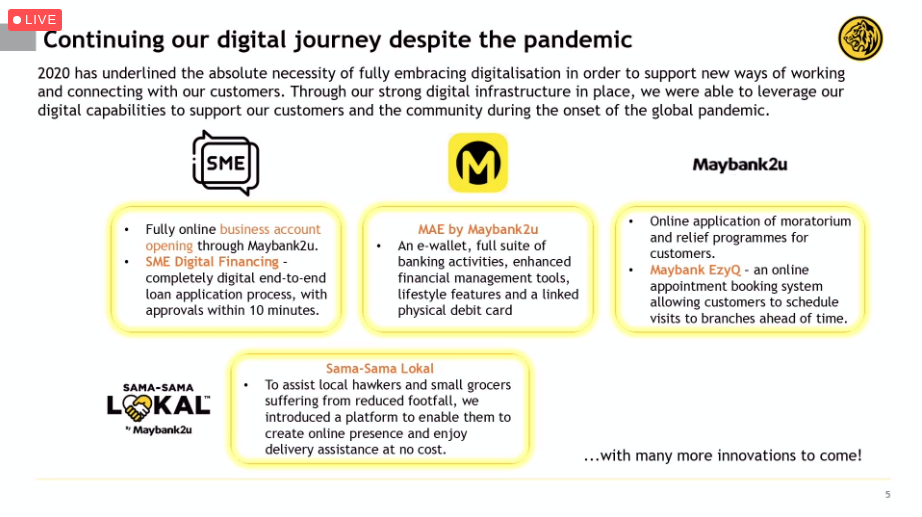
Digital journey – SME online application, EzQ to make appointment to any Maybank branch and develop online platform for small businesses.
Corporate Social Responsibilities
maybank assisting communities
Contributed RM20M to Mercy
Raised RM3M to assist vulnerable communities and to support Covid-19 initiative
Questions from Shareholders
maybank appointing tan sri zam who doesnt have financial background
Most questions are regarding Covid-19 impact to Maybank performance & its dividend policy.
Maybank CEO explained that it is hard for Maybank to gauge the impact but the dividend policy remains around 60% of net profit.
For all attendees of Maybank AGM will receive RM50 to their MAE for the postponed AGM and another RM50 who attended the AGM on 15th April. So who attended both AGMs will receive RM100.
According to Maybank, they don’t plan to reduce their branches like other global banks.
Maybank uses its huge database on analysis for credit risks and loan offering.
Another question whether Maybank plans to introduce its own bitcoins in which Maybank replies no.
A shareholder asks why Maybank appoints Tan Sri Zam as its chairman who doesn’t have any financial background. According to Maybank they need someone with technology background at board level to help Maybank in their digital journey.
Conclusion
Good insight on Maybank performance on the meeting and Maybank plans to do more digital solutions moving forward to mitigate Covid-19 impact.
Another good thing receive door gift of RM50 which this is my second time receiving RM50 for attending Maybank AGM.
hotel hilton kota kinabalu sabah lobbyhotel hilton kota kinabalu sabah lobby
Room
hotel hilton kota kinabalu sabah 2 single bedhotel hilton kota kinabalu sabah 2 bed roomhotel hilton kota kinabalu sabah roomhotel hilton kota kinabalu sabah toilet
Breakfast
hotel hilton kota kinabalu breakfast westernhotel hilton kota kinabalu breakfast nasi lemak
Swimming Pool
hotel hilton kota kinabalu swimming poolhotel hilton kota kinabalu swimming pool
Room rate
As of July 2020, the room rate is RM180 per night for 2 single bed including breakfast.
Location
hotel hilton kota kinabalu sabah location
From KKIA to Hotel Hilton: 7km, 11 min driving
From Hotel Hilton to Pasar Philipines: 2.6km, 8 min driving
From Hotel Hilton to Likas Beach: 8.5km, 12 min driving
It is easy to find restaurants surrounding the hotel and within 5 min you can get your Grab.
I have a housing loan with Maybank. So I want to know how to reduce the principal. So I called Maybank call centre and according to the call centre, I need to deal directly with Maybank branch where I applied my housing loan.
If you don’t know the branch phone number you can get it from Maybank call centre.
When I call to Maybank branch where I applied my loan, the person in charge informed me the steps.
1) Transfer Extra Payment Directly to Maybank Housing Loan
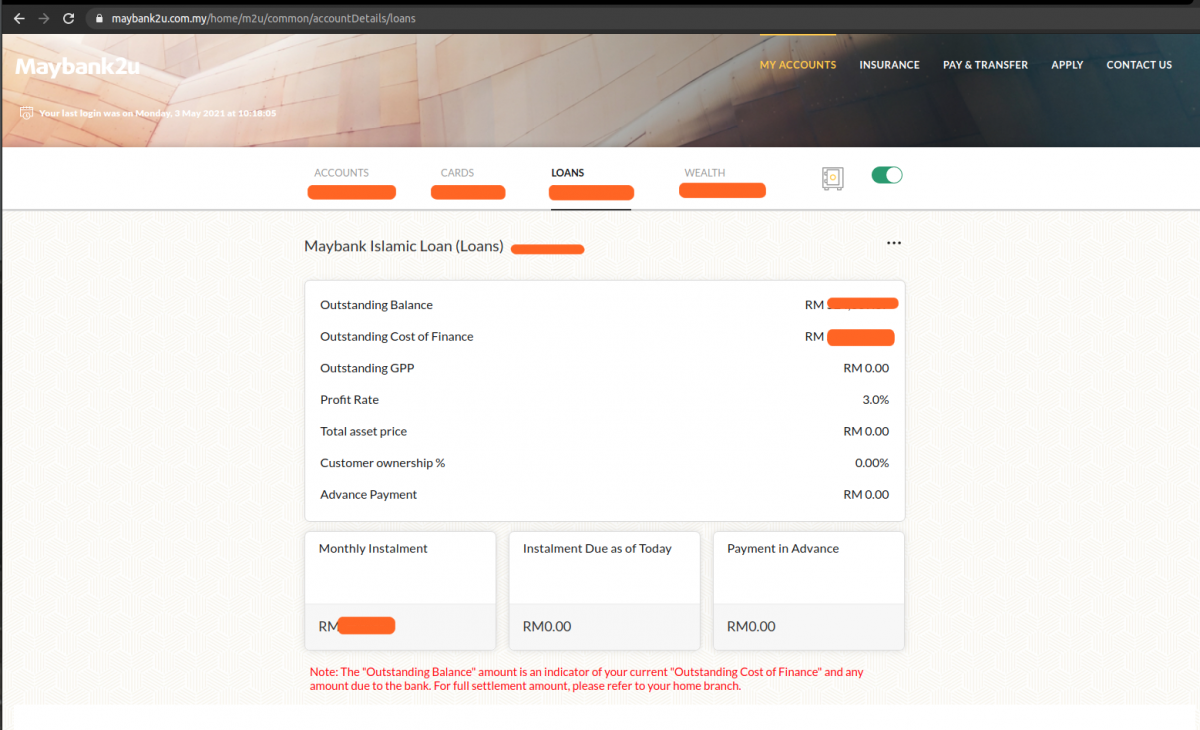
The extra payment is parked at advance payment but the outstanding loan is still be reduced
2) Outstanding Loan will be Automatically Reduced
3) If Advance Payment is More than the monthly payment, Standing Instruction (SI) is automatically stop for next payment cycle (If you pay from SI)
4) If you want Advance Payment to be transferred directly to Loan Principal
Go to any Maybank branch to give instruction to transfer the advance payment.
It requires customer thumb print to do this thats why have to go to the branch.
I just bought Epson Ecotank L3150 printer to replace my kaput HP printer.
It was a hassle to install the Espon Ecotank because it took time for the printer to self configure. For me it took, around 10 minutes as what the user guide informed.
Ensure that to Start button stays on and nothing is flashing if not you will face error in installing Epson software and driver.
You need to install one software and its driver to configure correctly the printer.
I want to do a multiplayer games but it is hard to really understand how it works.
I did refer the official tutorial from Godot here. but I still can’t understand it then I read the code example of multiplayer bomber.
From the multi player bomber, I just extracted when a lobby is created by Host and then a Player joins the lobby.
I did this to simplify the GDScript so I can focus on understanding its inner working.
Besides I add additional print() to see which function is called first and understand their sequence. To know the sequence I added timestamp when the function is called.
Example:
1
print("game state - register player() ",id," time stamp: ",OS.get_system_time_msecs())
I also rearrange the scripts into different folder to reflect its purposes and change gamestate.gd to GameState.gd
Print at Critical Functions To Detect Functions Calling Sequence
scripts/global/GameState.gd
print(“game state – connected_ok()”, ” time stamp: “, OS.get_system_time_msecs())
print(“game state – player connected(). ID: “, id, ” time stamp: “, OS.get_system_time_msecs())
print(“game state – register player() “, id, ” time stamp: “, OS.get_system_time_msecs())
scripts/lobby/lobby.gd
print(“game state – register player() “, id, ” time stamp: “, OS.get_system_time_msecs())
I want to do a simple board game. Lots of things, I don’t really understand, example the input events. I read the Godot documentation on Input Event but they didn’t provide any project example besides the code.
For beginner, it is not straight forward. So I share the project Input Event example based on the Godot documentation example.
Steps To Do
1. Create Godot Project
2. Create New Input Map
– Click Project -> Project Settings
godot project settings
– Choose Input Map tab
godot – input map
– Find ui_right and choose the right key on your keyboard
– Then click OK
– Do the same with ui_left
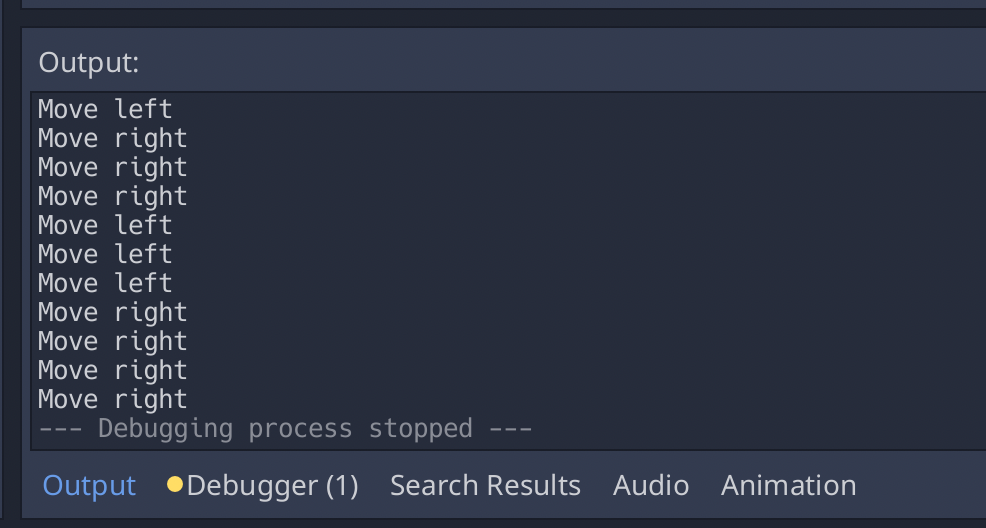
3. Test it, by pressing the keys on your game.
– The text will appear on the output screen
godot – output screen
Add Custom Input Map – Mouse Left Button Click
1. Go to project -> Project Settings
2. Type ui_mouse_left_button_click (you can give any name)
Lets say you want to have two GDscripts where the ChildScript.gd will call ParentScript.gd.
From there, you want the ChildScript.gd to call its parent function.
Create Class Inheritance
You first create inheritance in GDScript by calling “extends”.
1
2
3
4
extends"res://gdscript-filename.gd"
#example
extends"res://Parent.gd"
Call Parent Function . Use dot “.” to call parent function
1
2
#function example, where child calls parent function
.getText()
Download Godot Project Example
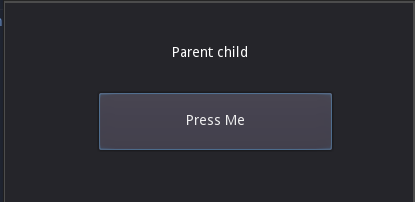
In this example, when “Press Me” button is clicked. The label will change to “Parent Child” where “Parent” is return value from parent function while child is from child function.
I’m still new to games development using Godot engine.
I follow the button signal tutorial on Godot website. I created the project for easy reference for others because at the website they don’t provide the Godot project that you can immediately play.
Full GDScript from the tutorial
1
2
3
4
5
6
7
8
9
10
11
12
13
14
15
16
17
18
19
# Declare member variables here. Examples:
# var a = 2
# var b = "text"
# Called when the node enters the scene tree for the first time.